PROJECT · 2022
Designing and building a B2B product tool from scratch — wfli.com
Western Florida Lighting needed buyers to find products in seconds, not scroll a 300-page PDF. I designed and built the full solution — Figma to live production.
Role
Product Designer & Developer
Timeline
4 weeks · 2022
Team
Me (solo, with client engineering handoff)
Stack
Figma, Wix, HTML/CSS, WooCommerce context
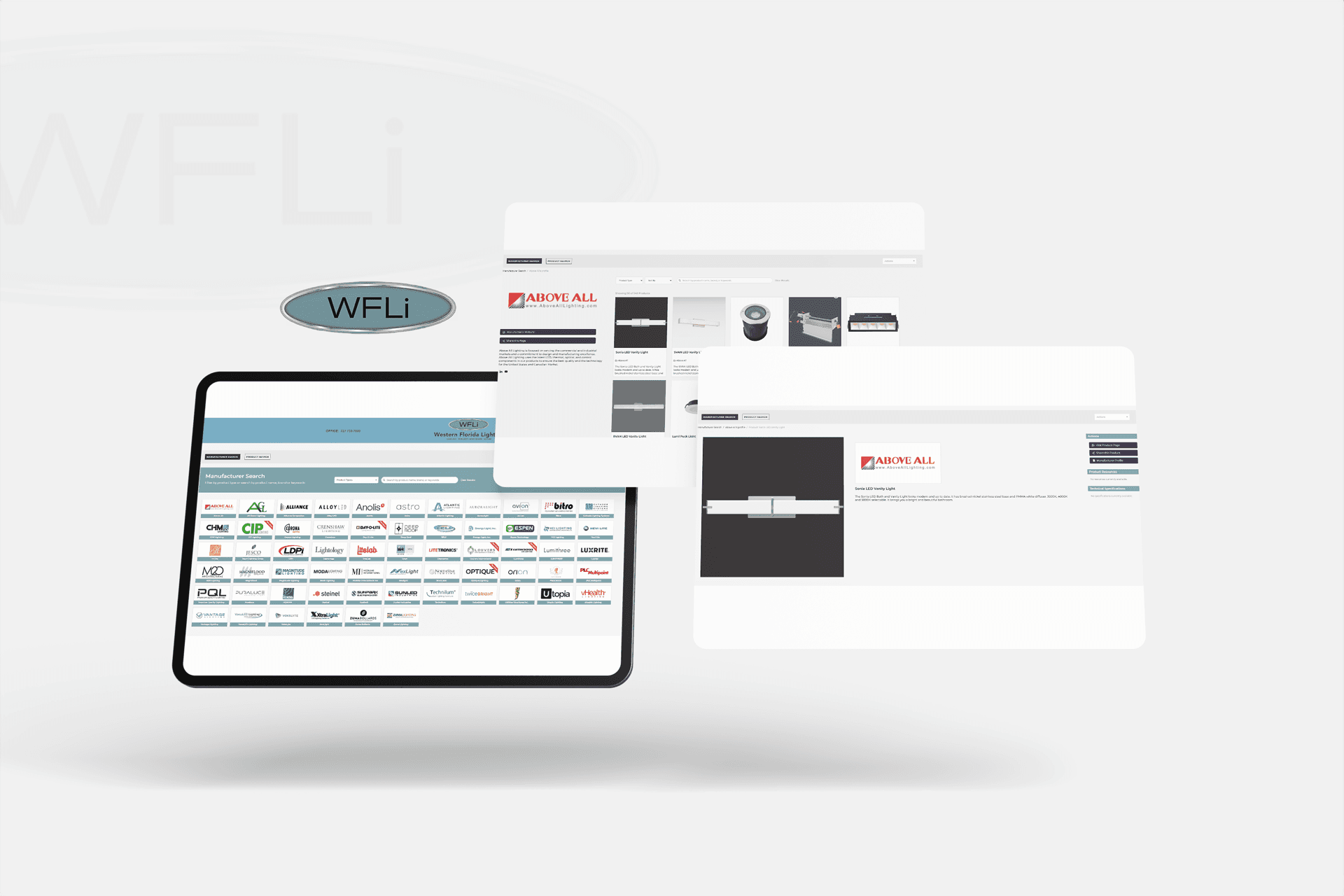
Western Florida Lighting distributes lighting products to B2B buyers across Tampa Bay, Sarasota, Fort Myers, and Naples. Their sales tool was a dense PDF line card — hundreds of pages of part numbers, specs, and manufacturer logos that buyers had to scroll through on phones during warehouse walks.
01 — THE PROBLEM
A 300-page PDF was doing the job of a product
The friction was costing real time. Buyers would call in to confirm part numbers they should have been able to find themselves. Sales reps were rebuilding quotes from printed pages. And for new customers, the catalog wasn't a resource — it was a barrier.
The ask was direct: replace the PDF with something that works on a phone, doesn't require a login, and that their engineering team could maintain without a redesign every quarter.
02 — APPROACH
Design for the person standing in a warehouse
I started where the users actually were — not a desk, but on a job site, probably on a 4G connection, needing a part number confirmed in under a minute.
That framing changed every decision. No fancy onboarding. No mega-menus. The interface had to load fast, filter by what buyers already knew (manufacturer, product type, SKU prefix), and return a result they could screenshot or share immediately.
I also had a hard constraint: the client's team used Wix for the full site. That meant no custom backend — the interactive layer had to work within that environment or be delivered as a clean, embeddable handoff the team could drop in without breaking existing workflows.
I prototyped three filter patterns in Figma, tested them against the actual product data structure, and picked the one that mapped closest to how buyers described parts in support conversations.
03 — DESIGN DECISIONS
Three decisions that made it shippable and usable
Decision 1: Filters mirror how buyers talk, not how the catalog is organized
The PDF was organized by manufacturer alphabetically — which is how the supplier thinks, not how the buyer searches. I restructured filters around product type, application, and specification range. That meant a buyer could type "LED retrofit 4000K" and get there in two taps instead of scanning 40 pages.
The rejected alternative was a direct digital copy of the PDF's table of contents. It would have been faster to build but would have recreated the same mental friction online.
Decision 2: Export and share built in from day one
A good filter UI is useless if the result dies on screen. Sales reps needed to drop shortlists into emails. Buyers needed to forward results to project managers. I designed share and export paths early — not as a polish pass — so they were part of the core spec handed to engineering.
The alternative was launching clean and "adding export later." In my experience, later never arrives when clients move on to the next project.
Decision 3: I built it, not just designed it
Because the client's stack lived in Wix and had no dedicated frontend resource, I moved from Figma into production myself — handling layout, interactions, and responsive behavior end-to-end. That closed the gap between intent and output completely. What launched matched the design file, not an approximation of it.
04 — OUTCOME
What changed
300 → 1
PDF pages to one screen
Live
In production at wfli.com
Under 1 week
Full handoff to client team
Solo
Design and development, end-to-end
The interactive line card is live at wfli.com/interactive-line-card. Buyers can filter by manufacturer, product type, and spec without downloading anything or calling a rep. The client team can update the product list without touching the design layer. That was the real win — a tool they actually own.
05 — REFLECTION
What I learned
This project is where I internalized what "design and development" actually means as a combined practice. When you build what you design, there's nowhere to hide. Every interaction state, every loading edge case, every responsive breakpoint is yours to solve.
It also reinforced something about B2B UX specifically: the buyer is never browsing for fun. They're on a deadline. The interface that respects their time wins, even if it's less visually interesting than what you'd show on Dribbble.
If I repeated it, I'd spend the first session mapping the exact product data structure with the client before touching Figma. Two days of that conversation would have saved a week of back-and-forth on filter logic.